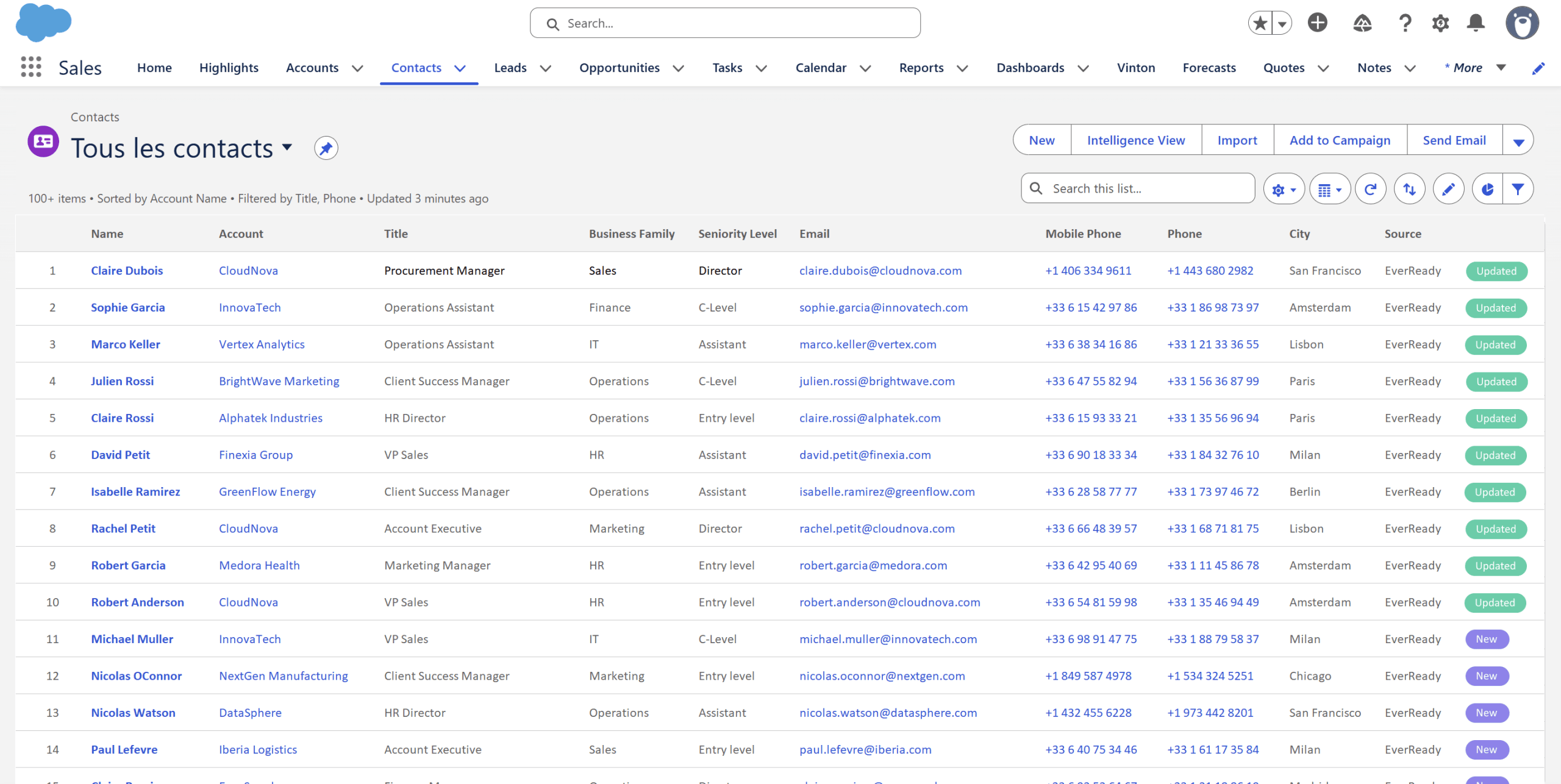







Contacts that are reliable, complete and always up to date
Intelligent
Each new contact is automatically linked to the right account in Salesforce.
Automatic
No action required from your reps. Contacts are created and updated in the background.
Privacy first
EverReady creates business contacts only, never personal ones.
Interests
EverReady detects what each contact engages with, so you know where the interest is.
Self-cleaning
EverReady identifies contacts who have left their company and keeps your base current.
GDPR ready
Every contact creation and update is fully traceable and compliant.
From a signature to a clean Salesforce contact
Read signatures
EverReady captures email signatures from your reps' inboxes as conversations happen.
Create and match
It creates the contact and links it to the correct account in Salesforce automatically.
Enrich the fields
Name, job title, landline, mobile and LinkedIn URL are filled in from reliable data.
Keep it current
Contacts are updated and cleaned continuously, including people who change roles or leave.
Other CRMs
Not on Salesforce? EverReady connects to your CRM too
Automatic contact capture and enrichment from email signatures is also available for Microsoft Dynamics 365, HubSpot, Pipedrive, Zoho CRM, Sellsy and Everwin.
Talk to us about your CRM →





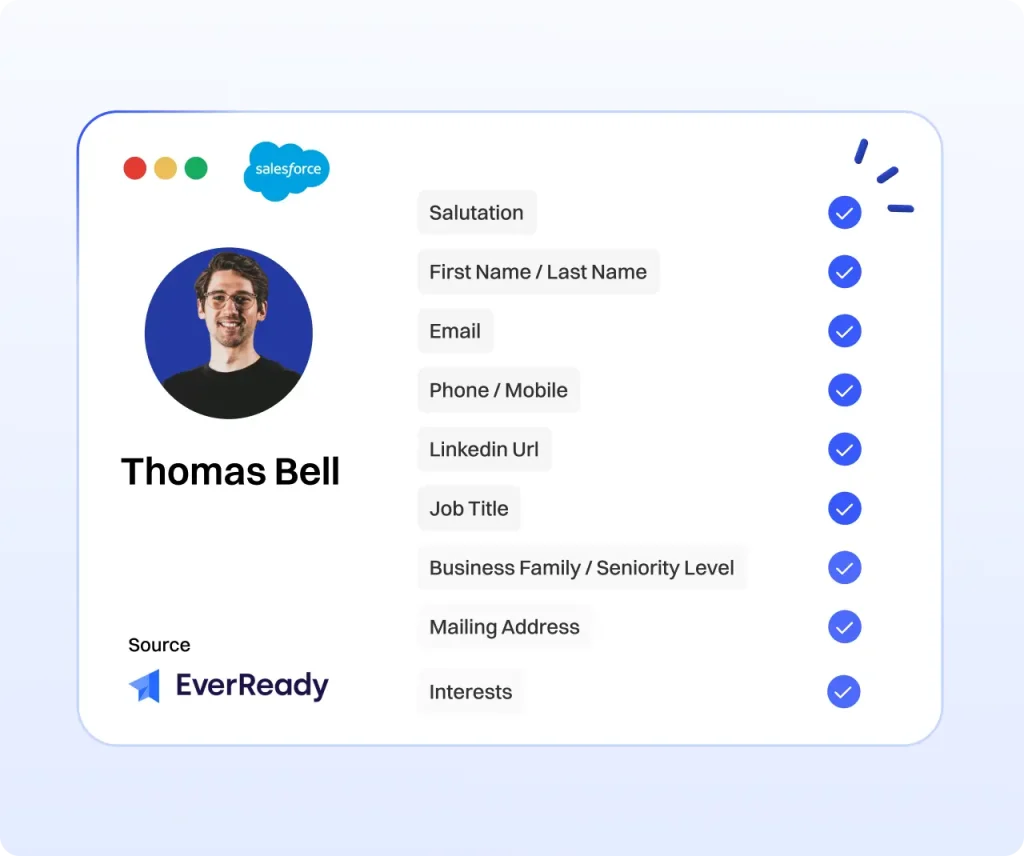
Complete contacts, not empty records
New
Capture more contacts in your CRM
EverReady no longer stops at email signatures. Anyone in CC on an email or attending a meeting is automatically created in your CRM.


Manual contact entry vs automatic capture
| Manual entry | Automatic with EverReady | |
|---|---|---|
| Contact creation | Rep-dependent, often skipped | Automatic from every signature |
| Field completeness | Name and email at best | Title, phone, mobile and LinkedIn included |
| Account matching | Manual, error-prone | Linked to the right account automatically |
| Data freshness | Ages quietly, never cleaned | Updated and cleaned continuously |
| Historical contacts | Lost in inboxes | Recovered with Flashback |
| Rep time spent | Hours per week of data entry | Zero, reps focus on selling |
Contact capture, Frequently Asked Questions
How does EverReady create contacts automatically?
EverReady reads the email signatures your reps receive and creates the corresponding business contact in your CRM. It extracts the name, job title, phone numbers and LinkedIn URL, then links the contact to the right account, with no action required from your team.
Which contact fields are enriched?
EverReady populates first name, last name, email, job title, landline and mobile numbers and LinkedIn URL. Contacts are also segmented automatically by seniority level and business family.
Does EverReady create personal contacts?
No. EverReady creates business contacts only. Personal addresses are excluded, so your CRM stays professional and privacy friendly.
What is Flashback?
Flashback analyzes the history of your sales teams' mailboxes to recover dormant contacts from past conversations. It deduplicates them, matches them to the right accounts and enriches them to the same standard as new contacts.
Does it keep contacts up to date over time?
Yes. EverReady continuously updates contact details and flags people who have left their company, so your database stays complete and reliable instead of ageing quietly.
Is contact capture GDPR compliant?
Yes. Every contact creation and update is fully traceable, and EverReady runs natively in your CRM, so your data stays in your own environment.
Every contact, in your CRM
See how EverReady fills, enriches and cleans your contact database automatically, so your team always sells from reliable data.
Book a demo