






Contact Finder · Native in Salesforce

Contact Finder · Native in Salesforce

Verified B2B emails
and mobiles, right

Verified B2B emails
and mobiles, right

inside Salesforce

inside Salesforce

Contact Finder gives your reps verified business emails and mobile phone numbers, with smart recommendations and one-click import, directly in Salesforce.

Contact Finder gives your reps verified business emails and mobile phone numbers, with smart recommendations and one-click import, directly in Salesforce.

Verified business emails and mobiles from top data providers

Verified business emails and mobiles from top data providers

Smart suggestions matched to your prospecting criteria

Smart suggestions matched to your prospecting criteria

No subscription, you pay only for what you use

No subscription, you pay only for what you use

!
Verified mobiledirect dial · ready to call
Imported in one clickstraight into Salesforce

TRUSTED BY REVENUE TEAMS THAT PROSPECT STRAIGHT FROM THE CRM

TRUSTED BY REVENUE TEAMS THAT PROSPECT STRAIGHT FROM THE CRM

Features

Features

Prospecting data you can trust,

Prospecting data you can trust,

without leaving Salesforce

Contact Finder brings verified emails and mobiles to your reps, recommends the right people to reach and imports them in a single click.

Contact Finder brings verified emails and mobiles to your reps, recommends the right people to reach and imports them in a single click.

Premium data

Verified business email and mobile data, sourced from the best data providers on the market.

Smart

Contact Finder suggests contacts that match your own prospecting criteria, so you target the right people.

No subscription

No fixed licence and no seat-based pricing. You pay only for the contacts you actually use.

One-click import

Add a prospect to Salesforce in a single click, with all fields filled in automatically.

Verified quality

Emails and mobiles are checked before they reach your reps, so bounce rates and wasted calls drop.

One tool

Prospecting lives inside your CRM. No more juggling between separate data tools and tabs.

How it works

How it works

From a target profile to a contact

From a target profile to a contact

ready to reach

Four steps that all happen inside Salesforce, with nothing to export or re-key.

Four steps that all happen inside Salesforce, with nothing to export or re-key.

1

Set your criteria

Define the accounts, roles and seniority you want to prospect, straight from Salesforce.

2

Get recommendations

Contact Finder suggests the profiles that best match your prospecting criteria.

3

Reveal verified data

Get each contact's verified business email, mobile number and LinkedIn URL.

4

Import in one click

Push the contact into Salesforce instantly, linked to the right account and ready to work.
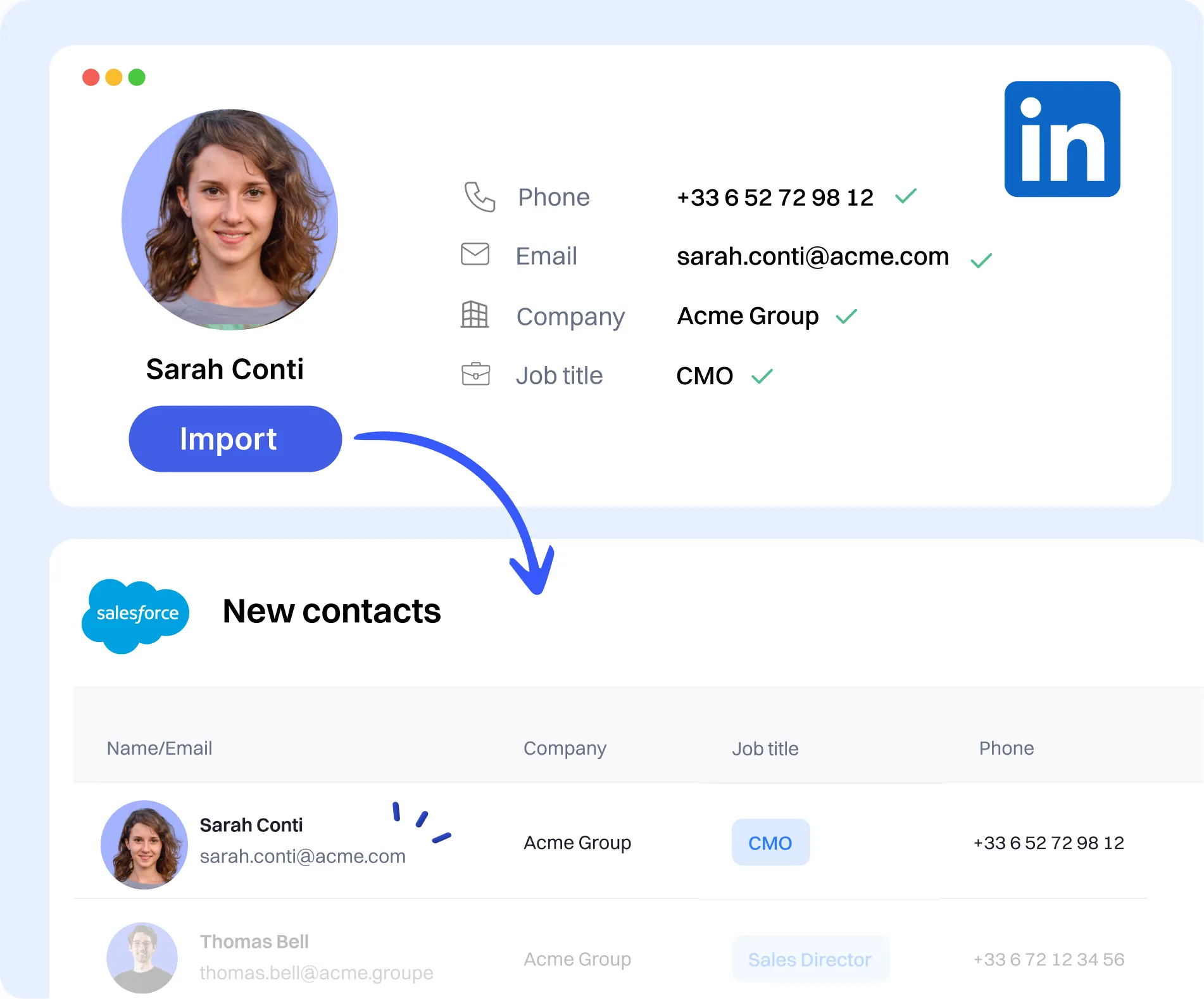
Smart recommendations

Smart recommendations

The right contacts,

The right contacts,

not just any contacts

not just any contacts

EverReady selects the best profiles using your own prospecting criteria and provides their business contact details, so your reps spend time selling instead of searching.

EverReady selects the best profiles using your own prospecting criteria and provides their business contact details, so your reps spend time selling instead of searching.

Verified email

Verified email

Mobile number

Mobile number

Direct dial

Direct dial

Job title

Job title

LinkedIn

LinkedIn

One-click import

One-click import

Everything happens

Everything happens

in Salesforce

in Salesforce

You no longer need to juggle between different prospecting tools. Find a contact, check the data and import it into your CRM without ever leaving Salesforce.

You no longer need to juggle between different prospecting tools. Find a contact, check the data and import it into your CRM without ever leaving Salesforce.

Contacts created and linked to the right account automatically

Contacts created and linked to the right account automatically

All fields filled in, no copy-paste and no re-keying

All fields filled in, no copy-paste and no re-keying

One prospecting workflow instead of scattered tabs and exports

One prospecting workflow instead of scattered tabs and exports

Pay as you go

Pay as you go

No subscription,

No subscription,

no wasted budget

no wasted budget

Pay only for what you use. Contact Finder has no fixed licence and no seat-based fees, so your prospecting budget follows real usage instead of unused seats.

Pay only for what you use. Contact Finder has no fixed licence and no seat-based fees, so your prospecting budget follows real usage instead of unused seats.

No annual commitment and no per-seat pricing

No annual commitment and no per-seat pricing

Credits consumed only when you reveal or import a contact

Credits consumed only when you reveal or import a contact

Predictable costs that scale with your prospecting activity

Predictable costs that scale with your prospecting activity

Standalone tools vs EverReady

Standalone tools vs EverReady

Separate prospecting tools vs

Separate prospecting tools vs

Contact Finder

Standalone prospecting toolsContact Finder in Salesforce
Where you workSeparate tool, outside the CRMNative inside Salesforce
Data qualityUnverified, high bounce ratesVerified emails and mobiles
Contact selectionManual list buildingSmart recommendations from your criteria
Import to CRMExport, clean, re-importOne click, fields filled automatically
PricingAnnual seats, paid whether used or notPay per use, no subscription
Rep workflowJuggling multiple tabs and toolsOne workflow, all in the CRM

FAQ

FAQ

Contact Finder,

Contact Finder,

Frequently Asked Questions

What data does Contact Finder provide?

Contact Finder provides verified business emails and mobile phone numbers, along with job title and LinkedIn URL. The data is sourced from the best providers on the market and checked before it reaches your reps, so you prospect from reliable information.

How does the smart recommendation work?

You define your prospecting criteria, such as target accounts, roles and seniority, and Contact Finder suggests the profiles that best match them. Your reps get the right people to reach instead of building lists by hand.

Does it work directly inside Salesforce?

Yes. Everything happens natively in Salesforce. You find contacts, review their verified details and import them into your CRM in one click, without switching to a separate prospecting tool.

How does the one-click import work?

When you import a contact, Contact Finder creates the record in Salesforce, links it to the right account and fills in the fields automatically. There is no export, no copy-paste and no re-keying.

Is there a subscription?

No. Contact Finder has no fixed licence and no seat-based pricing. You pay only for what you use, so your prospecting budget follows real activity instead of unused seats.

Are the contacts GDPR compliant?

Yes. Contact Finder delivers business contact data only, and runs natively in your CRM so your data stays in your own environment. Every reveal and import is traceable.

Verified B2B contacts, in your CRM

See how Contact Finder gives your reps verified emails and mobiles, recommends the right people and imports them in one click, all inside Salesforce.

Book a demo